SEO & Chill shows the old addresses visitors still try to open. See how often each one leads nowhere, choose the right destination, and make a redirect when you are ready. When you change the address of a page yourself, the old one keeps working by itself.
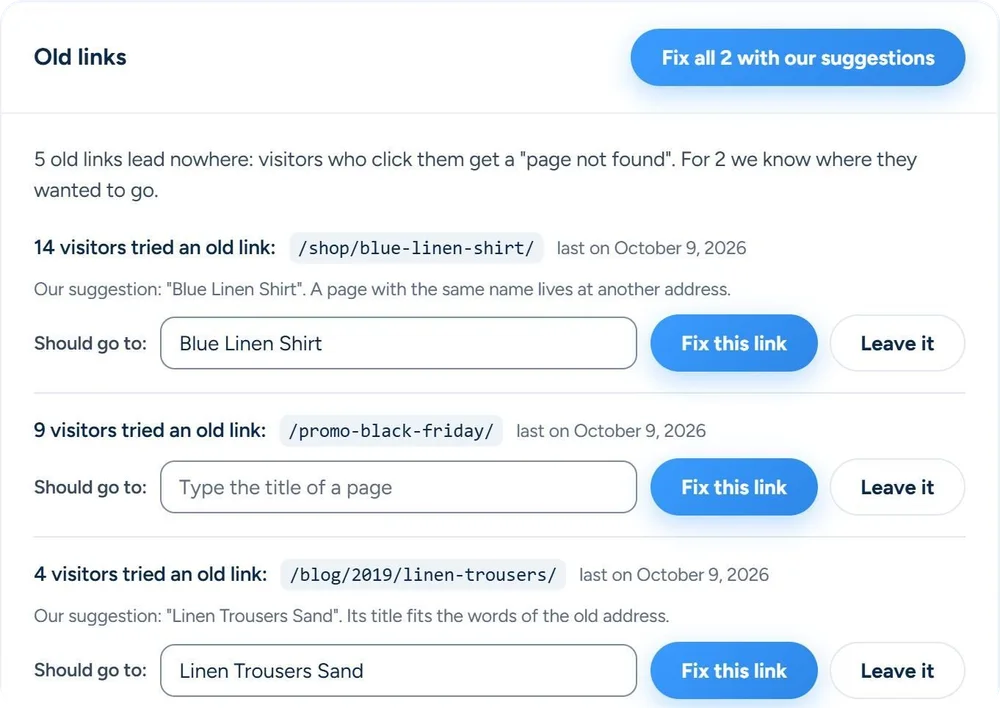
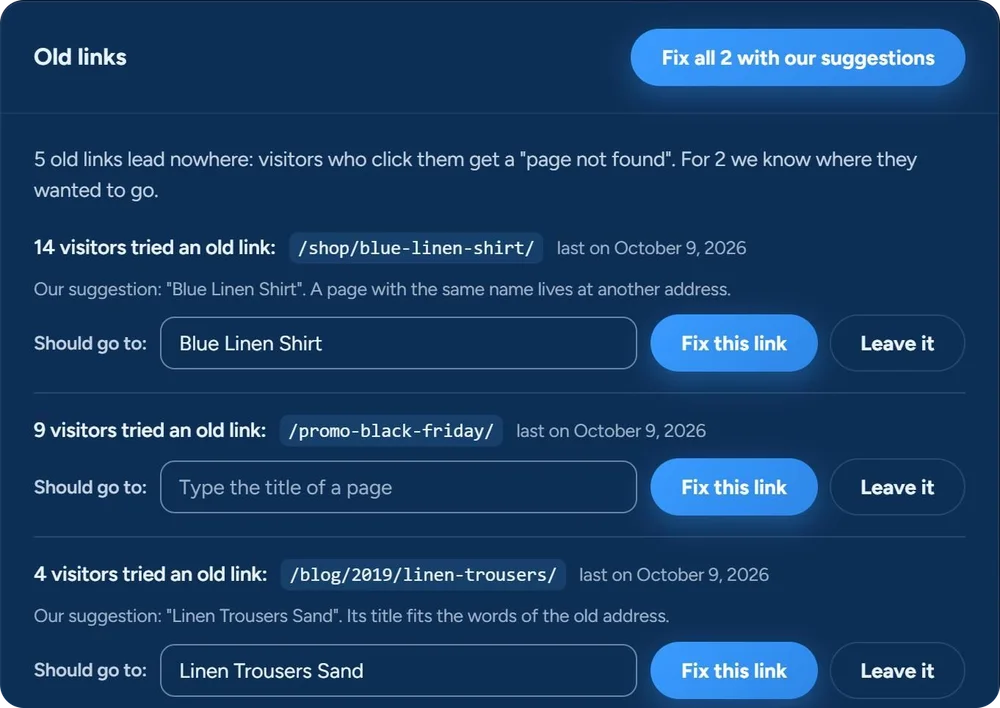
These are screens from the plugin itself, on our test site, with sample addresses. Old links lists the addresses that lead nowhere. From that list, a redirect is only added when you pick a page and click Fix this link.
Old addresses that visitors still try appear in Links → Old links, with a count. If we suggest a page, check it; otherwise type the right page yourself. Then click Fix this link, or fix every link with a suggestion in one click. Is the dead link on one of your own pages? Old links names the page, so you can fix the link there. Leave noise alone.
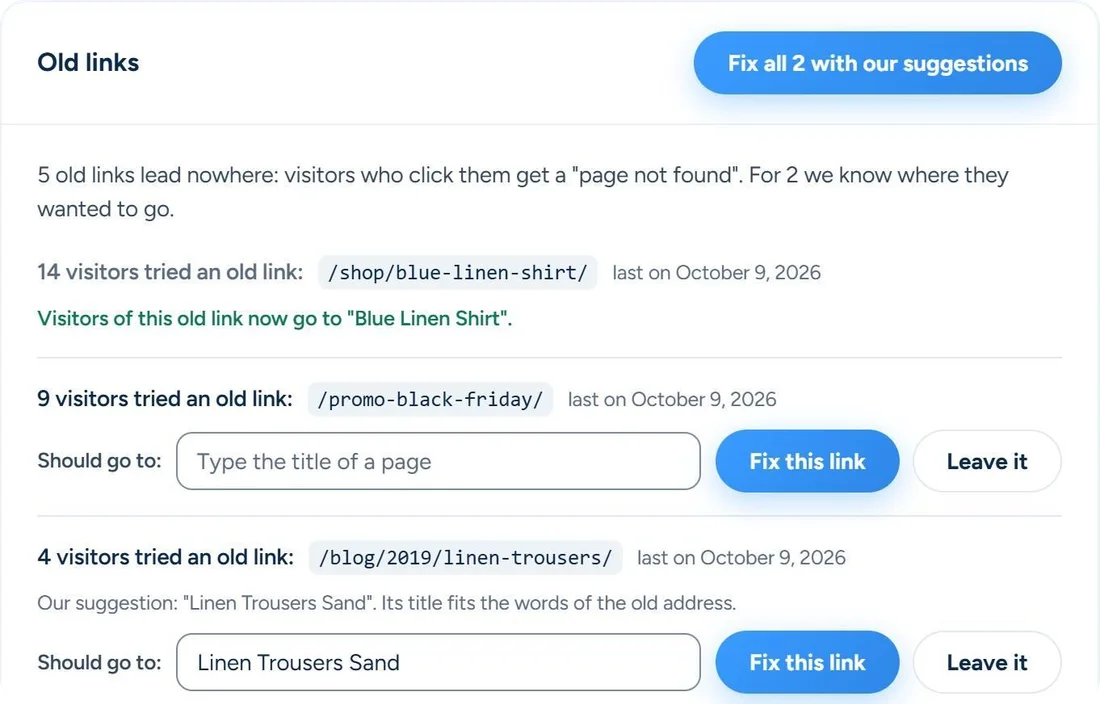
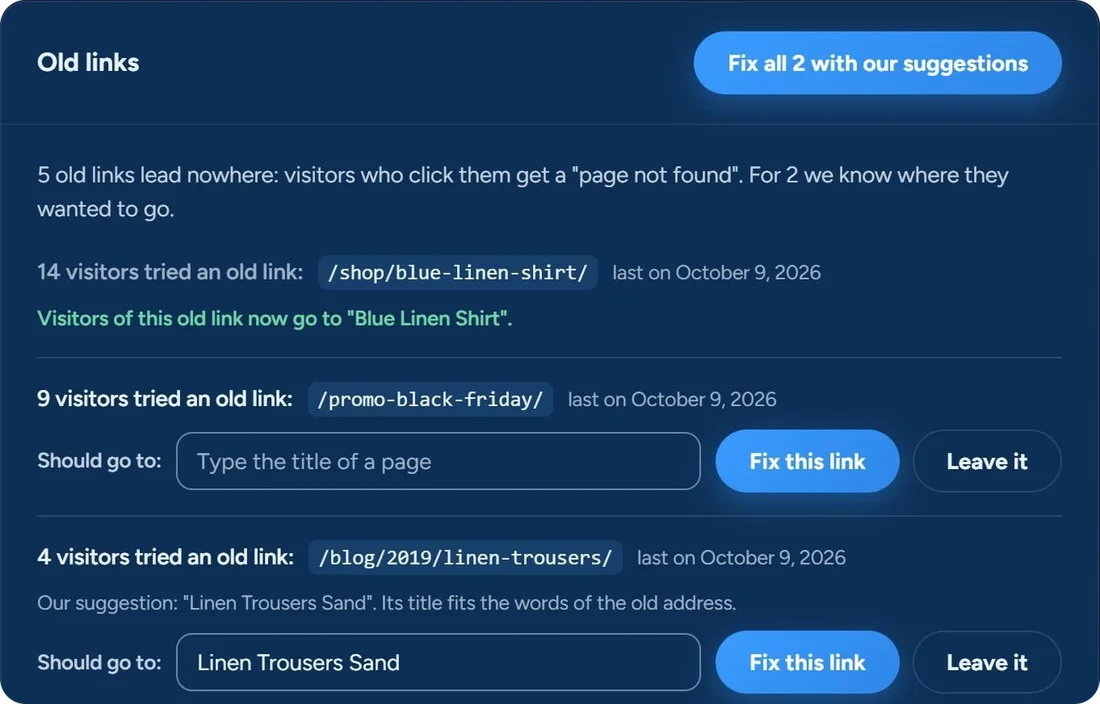
Old links show how many visitors tried an address, so you can deal with the ones that matter first.
Review a suggested page when one is available, or choose another page yourself.
Make a redirect, or leave an old address alone when the request is just noise.
Change the address of a published page, post or product, and the old one sends visitors on by itself. Its child pages move with it.
No. Old links shows the addresses visitors tried, and you decide whether one gets a redirect and where it goes. The plugin suggests a page when it can, and you see it before you click. The one exception is a page whose address you change yourself; you find that redirect under Links → Where they go.
Use a 301 for a permanent move and a 302 for a temporary one. Old links always makes a 301. Under Where they go you can pick 301, 302 or 307, use * for a whole group of addresses, and Test shows where a visitor ends up. The redirect guide explains more.
Yes, as a CSV file, under Links, Advanced. Export all your redirects for a backup or another site, and import a file the same way: the first column is the old address, the second where it should go. An address that already has a redirect is skipped, and so is a rule that would send visitors in a loop.
No IP address and no browser. It keeps the address that was tried, how often and when, and the page the click came from. A click from Facebook or a newsletter counts toward the same address. An address leaves the log 30 days after its last visit, at most 5,000 are kept, and wp-admin, scanners and files such as images stay out. You can switch the log off under Settings, General.
Old links and redirects are in the free version and in every plan. Compare the plans on the pricing page.
Let it fill in what’s missing. You check. It types.
Get started →
